
En una infraestructura global, la fricción es el enemigo de la conversión. Si un usuario de París visita su sitio, no debería tener que buscar manualmente un icono de bandera para cambiar al francés. MultiLipi Redireccionador de Idioma del Visitante actúa como un controlador de tráfico inteligente. Inspecciona la cabecera Accept-Language de la solicitud entrante (localidad del navegador) y dirige instantáneamente al usuario a la versión localizada correspondiente de su sitio (por ejemplo, fr.yoursite.com).
Esta guía detalla la protocolo de configuración para habilitar esta capa de enrutamiento automatizado.
1. La lógica de enrutamiento
Cómo funciona la detección.
Detección:
Un usuario accede a su sitio.com.
Inspección:
El motor lee la configuración del navegador (por ejemplo, fr-FR).
Enrutamiento:
Si el francés es un idioma activo en tu proyecto, el sistema realiza una redirección temporal 302 al subdominio francés de inmediato.
Reenvío:
Si el idioma del usuario no es compatible, permanece en el idioma predeterminado (Origen).
2. Protocolo de Configuración
Activa esta función directamente desde el centro de comando de tu proyecto.
Paso 1: Acceder al Panel del Proyecto
- •Inicia sesión en tu panel de MultiLipi.
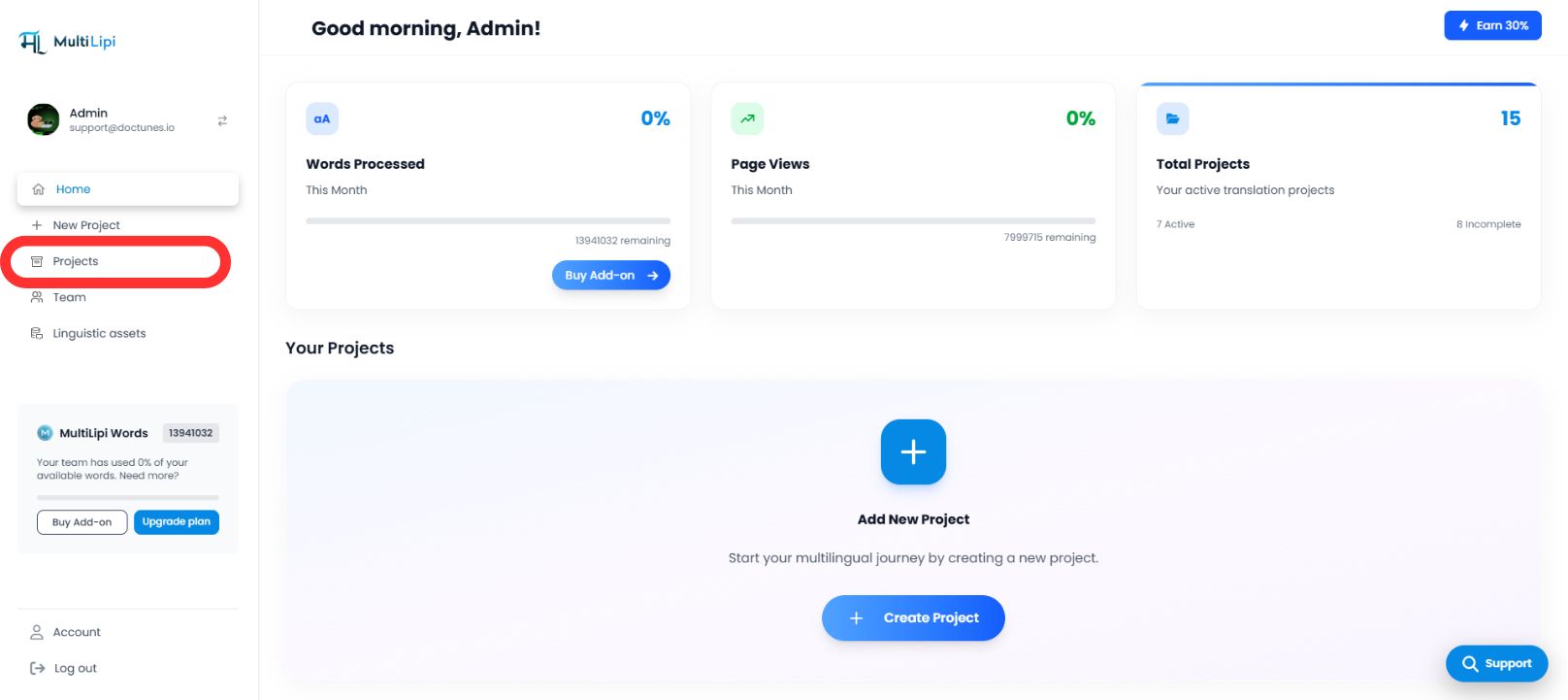
- •Navega a la barra lateral izquierda y haz clic en Proyectos para ver tu portafolio activo.
Paso 2: Seleccionar Proyecto Destino
- •Localiza el dominio específico que deseas configurar.
- •Haz clic en Panel del Proyecto para acceder a su consola de gestión específica.
Paso 3: Acceder a la Configuración de Configuración
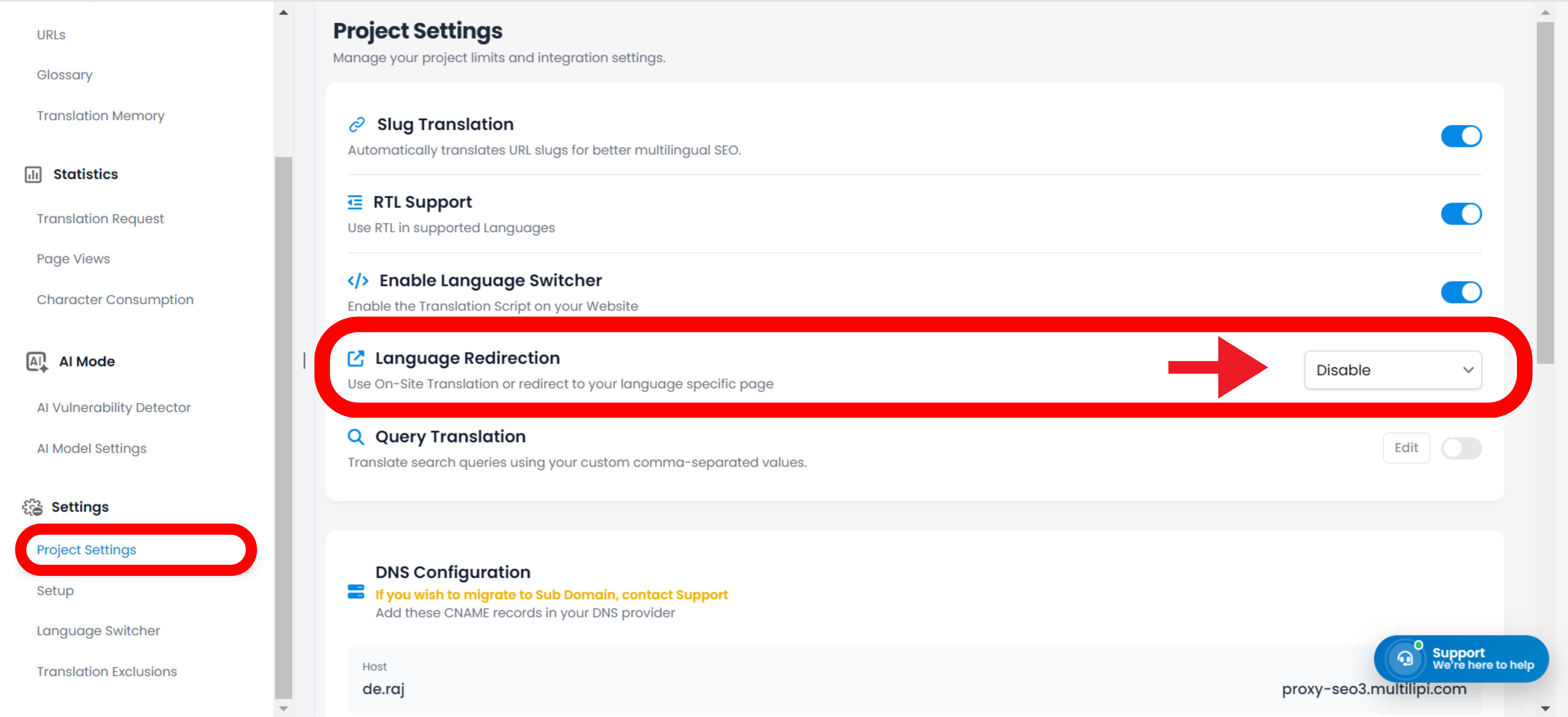
- •En la barra lateral izquierda de la vista del proyecto, haz clic en Configuración.
- •Desde el menú desplegable o submenú, selecciona Configuración del Proyecto.
Paso 4: Activar Enrutamiento
- •Desplázate hacia abajo en el panel de configuración hasta que encuentres el "Redireccionador de Idioma del Visitante" opción.
- •Acción: Activa el interruptor a
ACTIVADO. - •Respuesta del Sistema: El motor de enrutamiento está ahora activo. Los nuevos visitantes serán redirigidos automáticamente según la preferencia de su navegador.
Configuración Completa – Motor de Enrutamiento Activo
3. Beneficios Estratégicos
¿Por qué automatizar este proceso?
Reducción de la Tasa de Rebote:
Los usuarios son menos propensos a irse inmediatamente si ven contenido en su idioma nativo en el primer segundo.
Velocidad de Conversión:
Eliminar el paso de "cambio manual" acelera el viaje del usuario desde la página de destino hasta el pago.
Reenvío Inteligente:
El sistema es no intrusivo; solo redirige si existe una traducción coincidente, asegurando que ningún usuario se encuentre con un callejón sin salida.
En resumen:
La redirección automática de idioma transforma su sitio de un portal de traducción pasivo a un motor de localización inteligente que anticipa las necesidades del usuario antes incluso de que hagan clic.