
Controla tu narrativa de IA
En la era de Optimización del Motor Generativo (GEO), el Título y la Descripción de tu página son más que simples enlaces azules en Google; son los "Vectores de Contexto" primarios para los modelos de IA. Si bien MultiLipi traduce automáticamente estos activos, los Administrador de Esquema y llms.txt te da un control detallado para anularlos, asegurando que la narrativa de tu marca sea consistente en cada idioma.
Lo que controlarás:
Accede al Centro de IA
- 1Inicia sesión en tu Panel de MultiLipi.
- 2En la barra lateral izquierda, en la sección OPTIMIZACIÓN DE LLM sección, haz clic en Esquema y llms.txt.
- 3Verificación visual: Verás un panel que enumera todos tus pares de idiomas activos (por ejemplo, Inglés → Italiano, Inglés → Alemán).
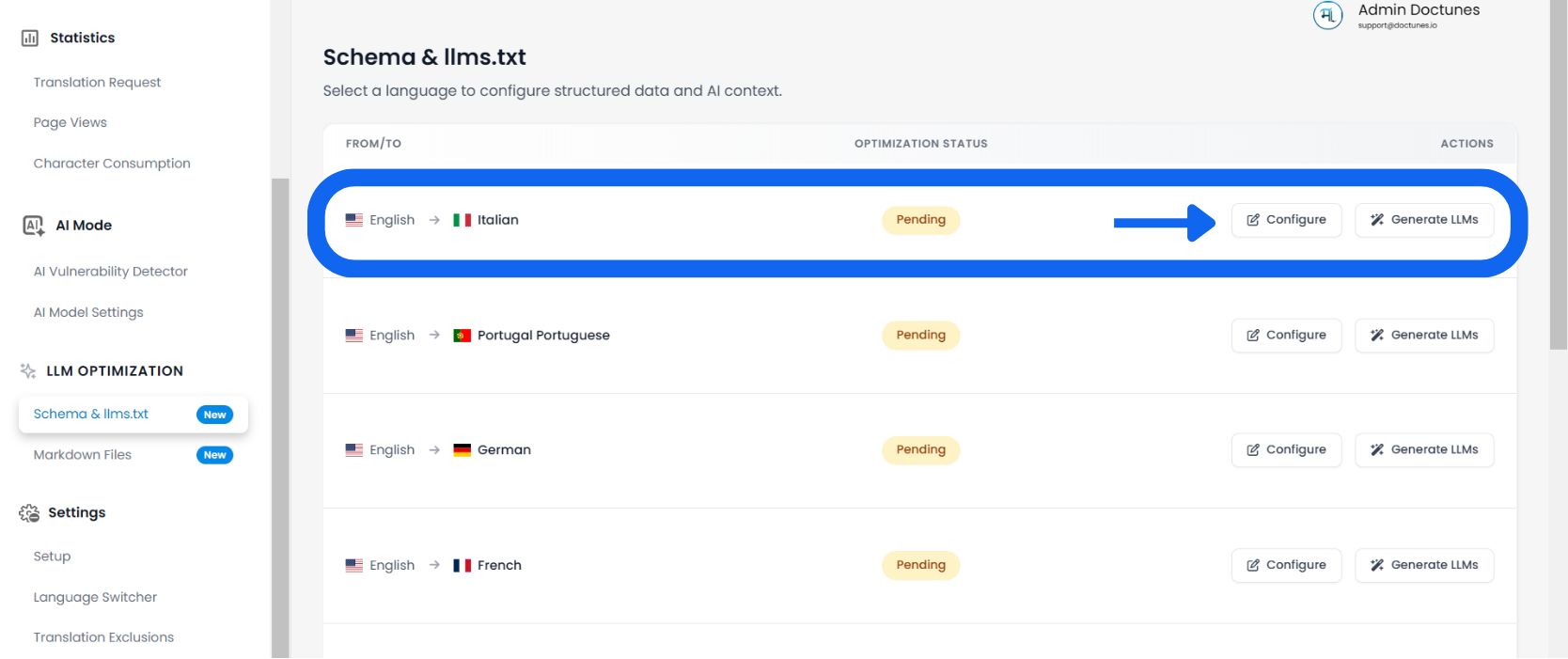
Seleccionar un idioma de destino
Revisa la Estado de optimización columna (por ejemplo, "1% Optimizado" o "Pendiente") para ver qué idiomas necesitan atención.
Auditar metadatos de la página
El sistema carga una lista detallada de cada URL descubierto en tu sitio para ese idioma.
Revisar Columnas:
El slug específico de la página (por ejemplo, /aeo-guide).
La etiqueta de título localizada actual que se muestra a los bots.
El resumen localizado utilizado para la indexación de IA.
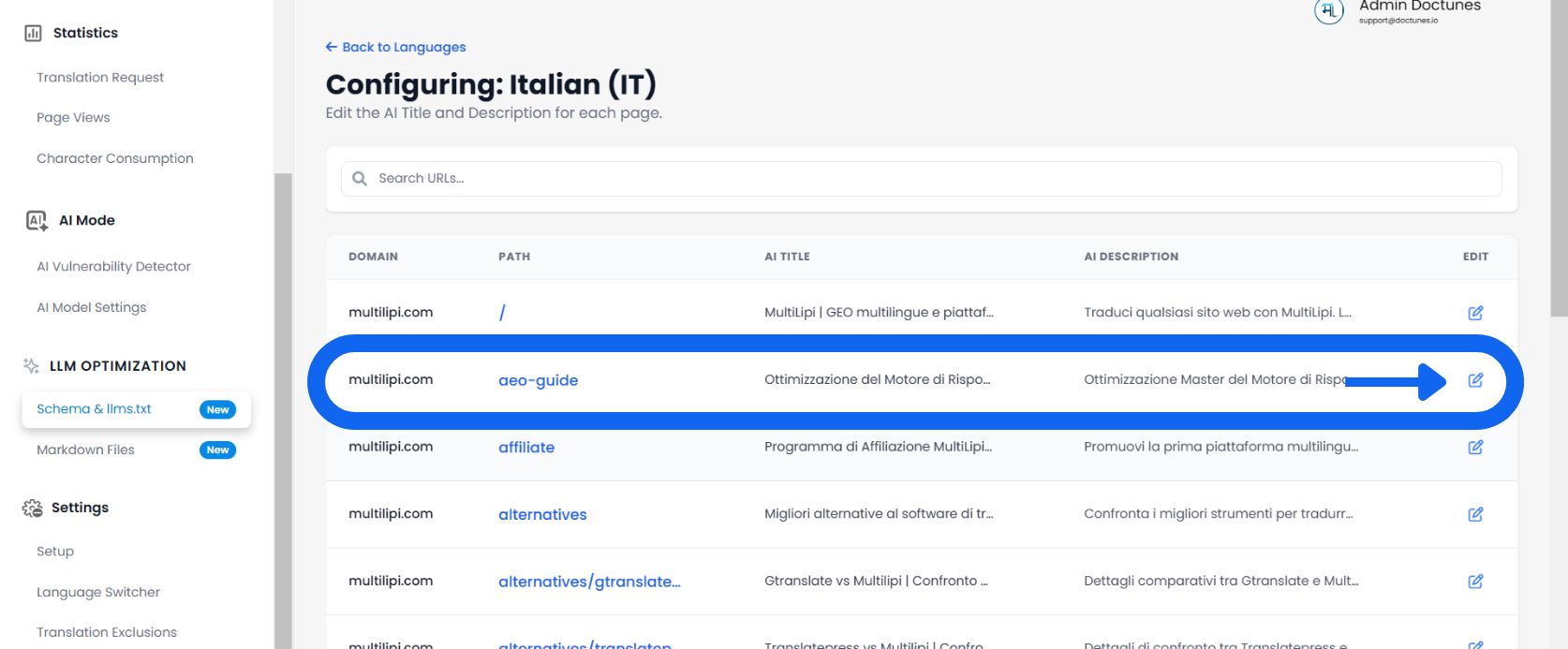
Editar y Anular
✏️ Si la traducción generada automáticamente no capta los matices de tu marca, anúlala manualmente.
- Hacer clic en Editar:Seleccionar el Icono de lápiz junto a cualquier Título o Descripción.
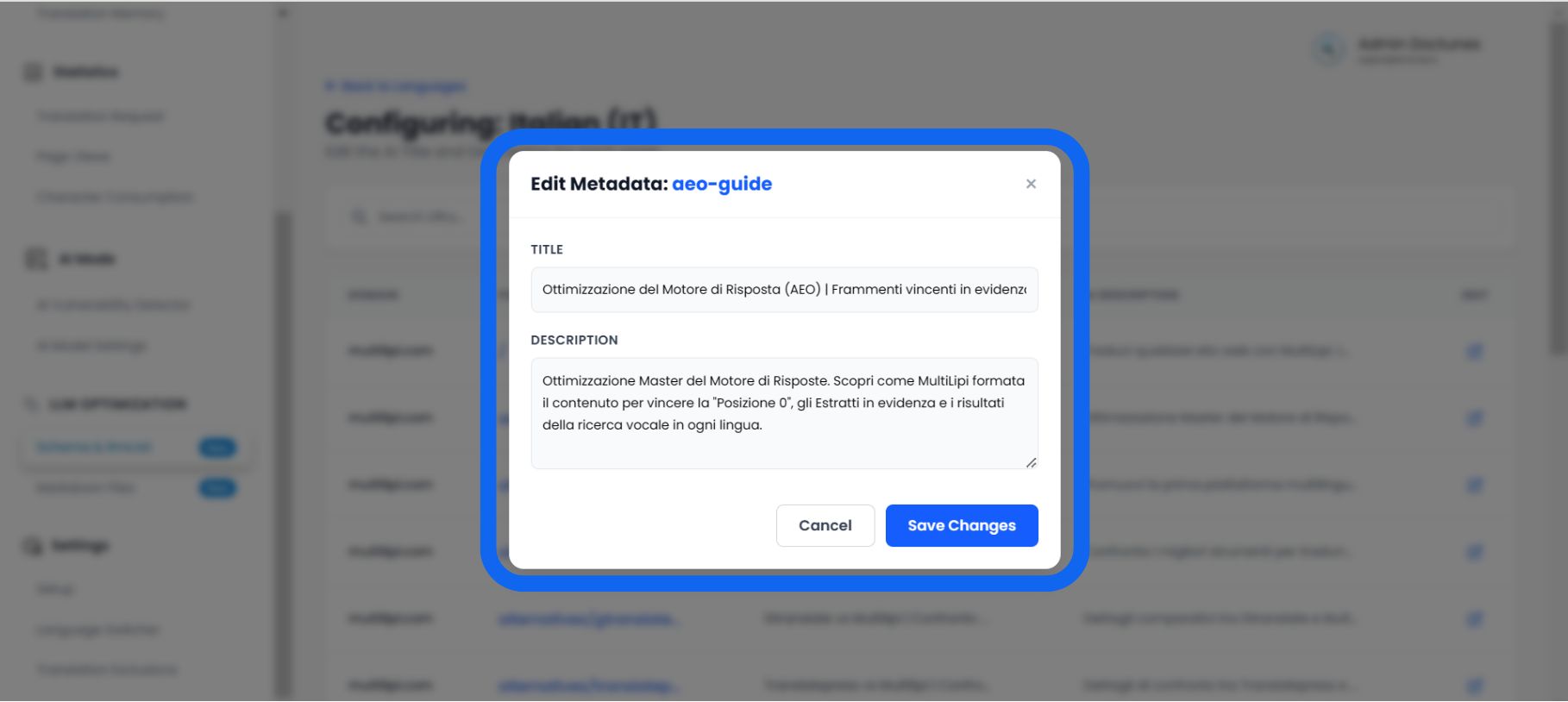
- El Modal del Editor:Una ventana emergente titulada "Editar metadatos del esquema" aparecerá.
- Introducir nuevos datos:
• Título del esquema: Introduce un título localizado y rico en palabras clave.
• Descripción del esquema: Escribe un resumen estructurado (aproximadamente 160 caracteres) que responda directamente a la intención del usuario.
- Guardar:Haz clic Guardar Cambios.
Resultado: El sistema actualiza inmediatamente tullms.txtfeed y marcado JSON-LD con estos nuevos datos curados.
Por qué la curación manual es importante
🎯 No solo traduzcas; optimiza.
Si bien la traducción automática tiene una precisión del 95%, Administrador de esquemas te permite perfeccionar el 5% final que impulsa la conversión.
La "Corrección de alucinaciones"
⚡ Evita que la IA mienta sobre tu producto.
modelos de IA (como ChatGPT) a menudo "alucinan" hechos cuando no tienen datos claros.
⚠️ El Riesgo
Si la descripción traducida automáticamente es vaga, una IA podría adivinar incorrectamente tus precios o características al responder a una pregunta de un usuario.
✅ La Solución
Al editar manualmente el Descripción del esquema en esta herramienta, proporcionas un resumen de "Hecho Concreto". Esto obliga a la IA a usar tu definición escrita como la verdad fundamental, lo que reduce significativamente la posibilidad de desinformación en las respuestas generadas por IA.