
AI translation models are powerful, but they can be too creative. A glossary acts as a "Guardrail Layer," forcing the translation engine to adhere to your specific brand rules. Whether it's ensuring "Apple" remains a brand name (and not a fruit) or keeping legal disclaimers verbatim, the MultiLipi Glossary Manager gives you absolute control.
This guide covers the two methods for defining these rules: Manual Entry (Precision)y CSV Ingestion (Bulk).
Enforce Strict Terminology Consistency
Glossaries override AI translation decisions to maintain brand integrity. Use them for company names, product SKUs, legal terms, technical jargon, and high-value SEO keywords that must remain consistent across all languages.
Accessing the Term Base
The Glossary is a global setting that applies across all your projects.
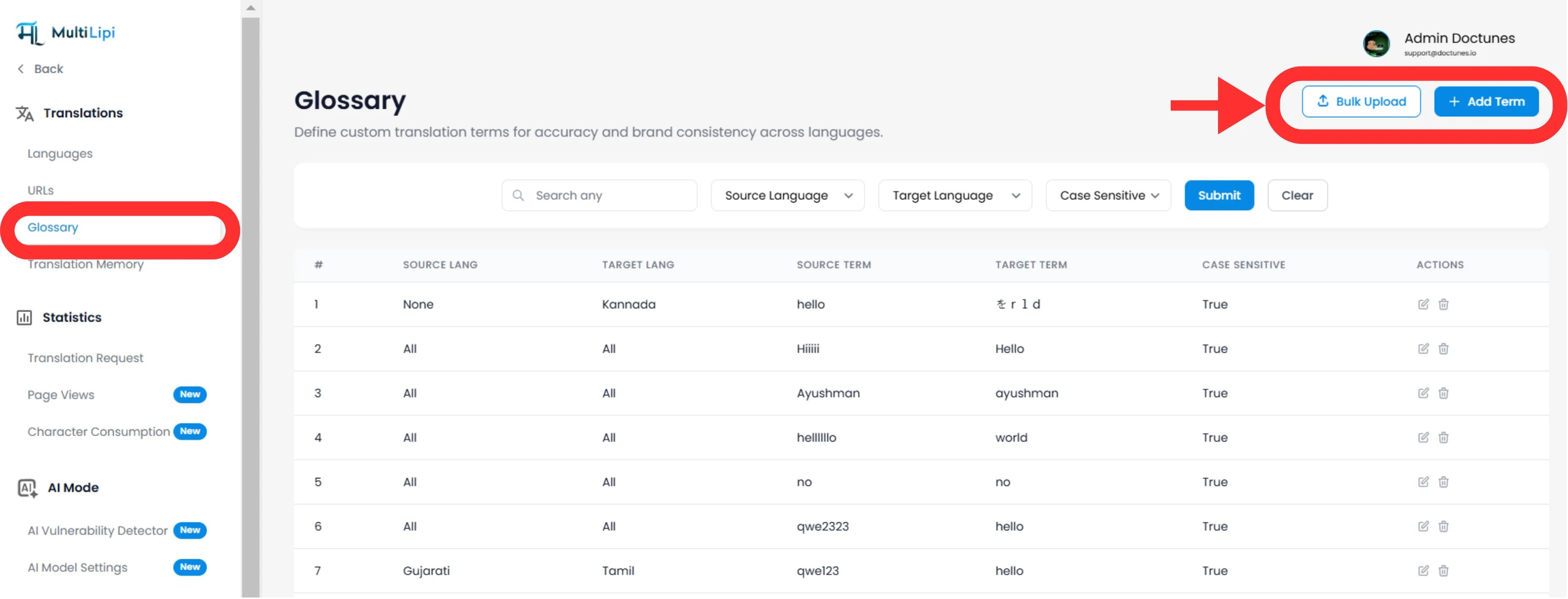
Navigate: From your MultiLipi Dashboard, expand the Traducciones menu in the sidebar.
Select:Clic Glosario .
View: You will see a searchable table of all active rules, their language pairs, and case-sensitivity status.
Method 1: Precision Rule Definition (Manual)
Lo mejor para:
Locking brand names, product SKUs, and specific marketing slogans.
Initiate
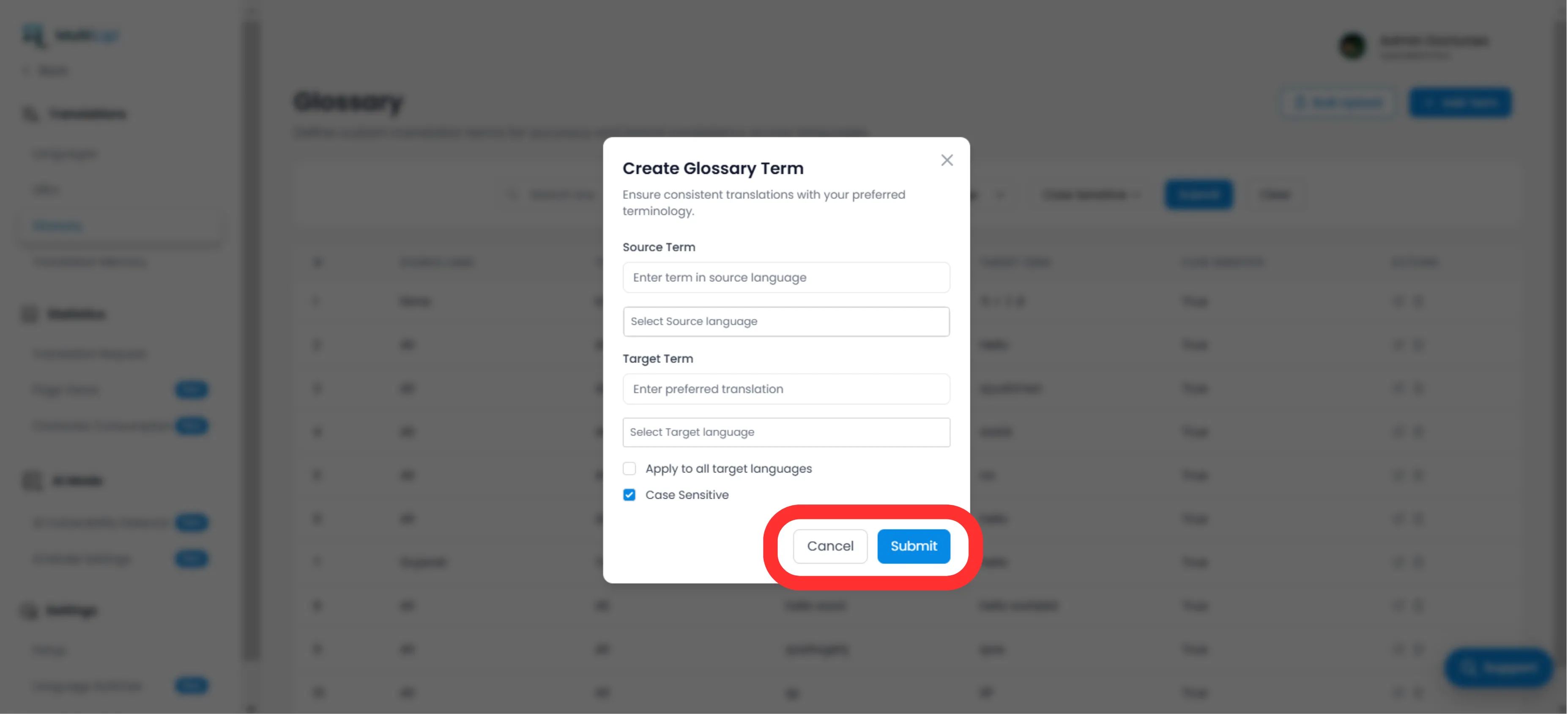
Haga clic en el botón Nuevo en la esquina superior derecha.
Define the Rule
Término de origen
The exact word or phrase in your original language (e.g., "CloudDrive").
Plazo objetivo
The mandated translation (e.g., "CloudDrive" - to keep it in English, or "Le CloudDrive").
Language Scope
Specific
Apply only to EN → FR .
Global
Escoger "All Languages" to lock a brand name worldwide.
Case Sensitivity
Enabled
Matches "Apple" but ignores "apple". Essential for common words that are also proper nouns.
Desplegar
Clic Enviar . The rule is instantly pushed to the translation engine and will apply to all future translations.
Method 2: Bulk Ingestion (CSV Upload)
Lo mejor para:
Migrating legacy term bases, legal dictionaries, or e-commerce product lists.
If you have hundreds of terms, do not enter them manually. Use our CSV import tool.
Prepare Your Data
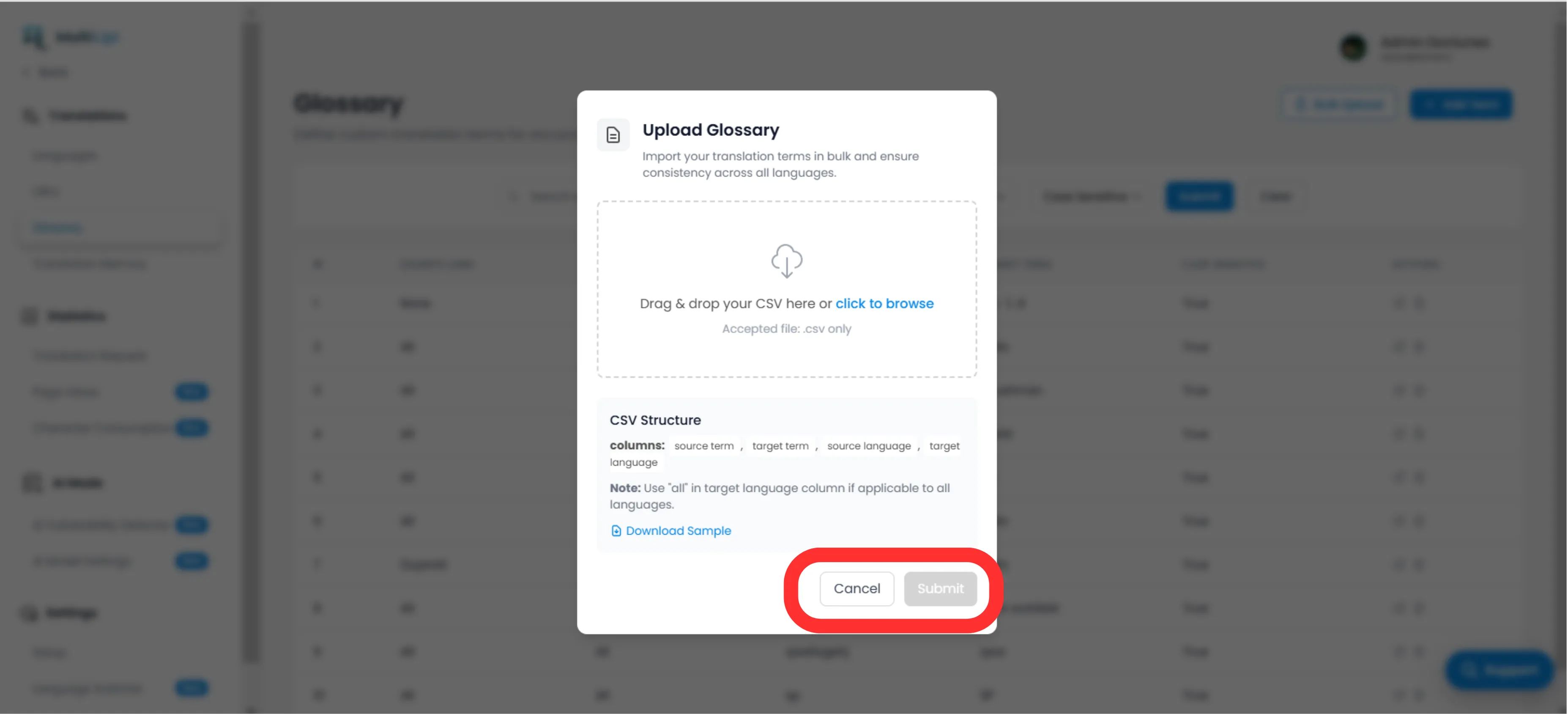
Create a CSV file with the following header structure:
source_term, target_term, source_language target_language Nota
Uso ISO codes for languages (e.g., en , Fr , de ). Use todo for global rules.
Subir
Haga clic en el botón Subir button in the Glossary panel.
Map & Validate
Select your file. The system will parse the rows and flag any formatting errors.
Ejecutar
Clic Enviar to ingest the rules into your active Term Base.
Strategic Best Practices
Lock Your Brand
The first rule you should create is for your Nombre de la empresa . Set the target to be identical to the source and apply it to All Languages.
SEO Keywords
If you're targeting a specific high-volume keyword in Germany (e.g., "Handy"En lugar de "Mobiltelefon"), create a glossary rule to force the engine to use the higher-traffic term.
Keep it Short
Glossaries work best for 1-3 word phrases. Do not use them for entire sentences; use the Memoria de traducción o Visual Editor for that.
Ready to enforce brand consistency? Open the Glossary Manager and start defining your translation guardrails today.