

Inyecta localización empresarial en el ecosistema de Wix.
Wix es un potente constructor visual, pero sus herramientas de traducción nativas pueden ser manuales y restrictivas. MultiLipi se integra directamente en el Capa de encabezado de Wix, lo que te permite omitir estos límites. Al inyectar nuestro script de infraestructura, habilitas instantáneamente la traducción de IA y la indexación SEO automatizada para todo tu sitio sin alterar tu diseño o código Velo existente.
Esta guía detalla el proceso de integración utilizando el Código Personalizado característica.
1. Prerrequisitos de Despliegue
Wix restringe la inyección de código a las cuentas premium. Asegúrate de cumplir estos requisitos:
Plan de Wix
Debes estar en un Plan Premium (Light, Core, Business, etc.) que admite dominios conectados.
Estado del Dominio
Tu sitio debe tener un dominio personalizado conectado (por ejemplo, yoursite.com). El script no se ejecutará en sitios gratuitos .wixsite.com subdominios.
Clave API de MultiLipi
Localiza esto en tu Panel de Control bajo Configuración > General.
2. Paso 1: Acceder a la Capa de Inyección de Código
- 1
Inicia sesión en tu Panel de control de Wix.
- 2
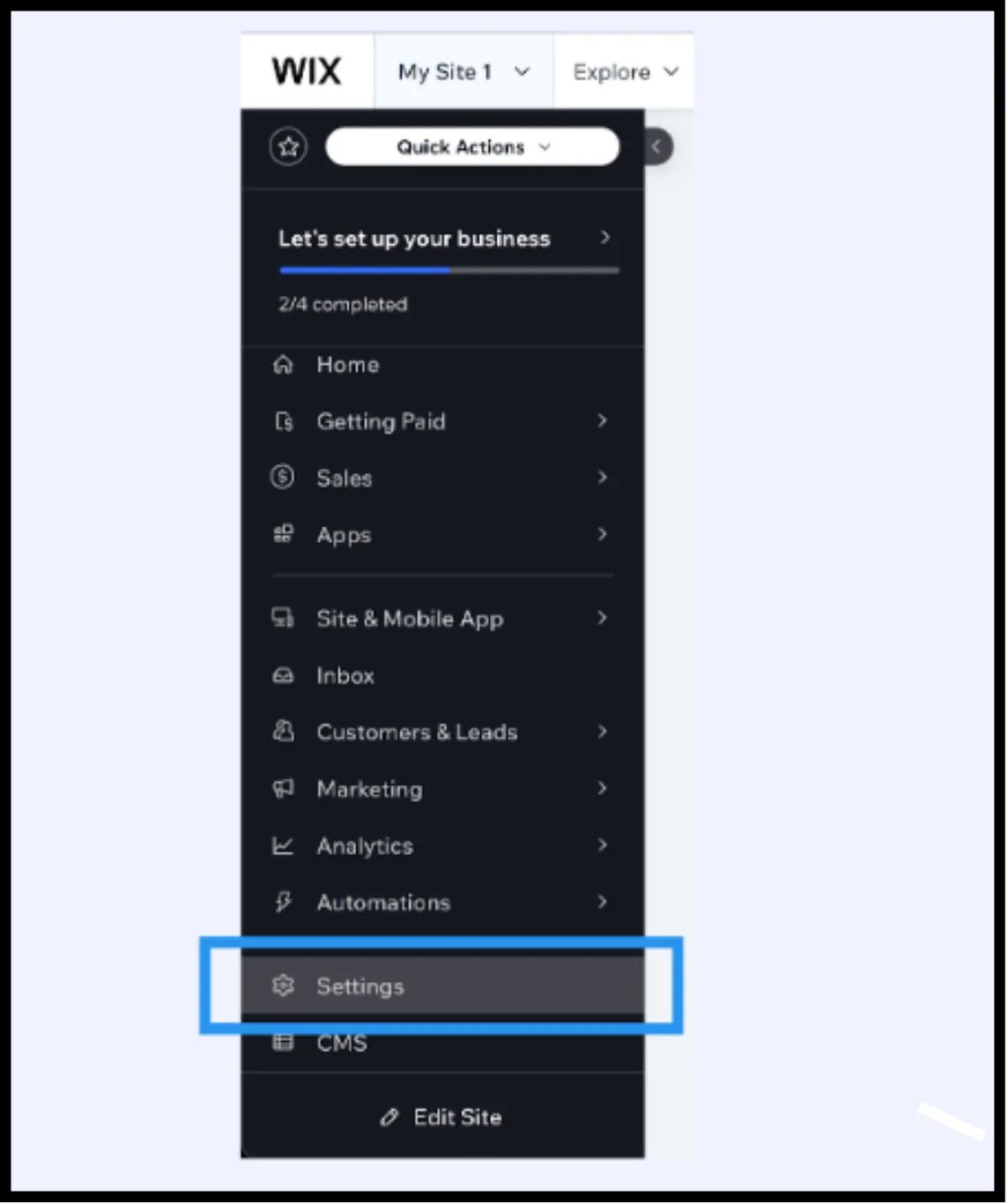
Navega a Configuración en la barra lateral izquierda.
- 3
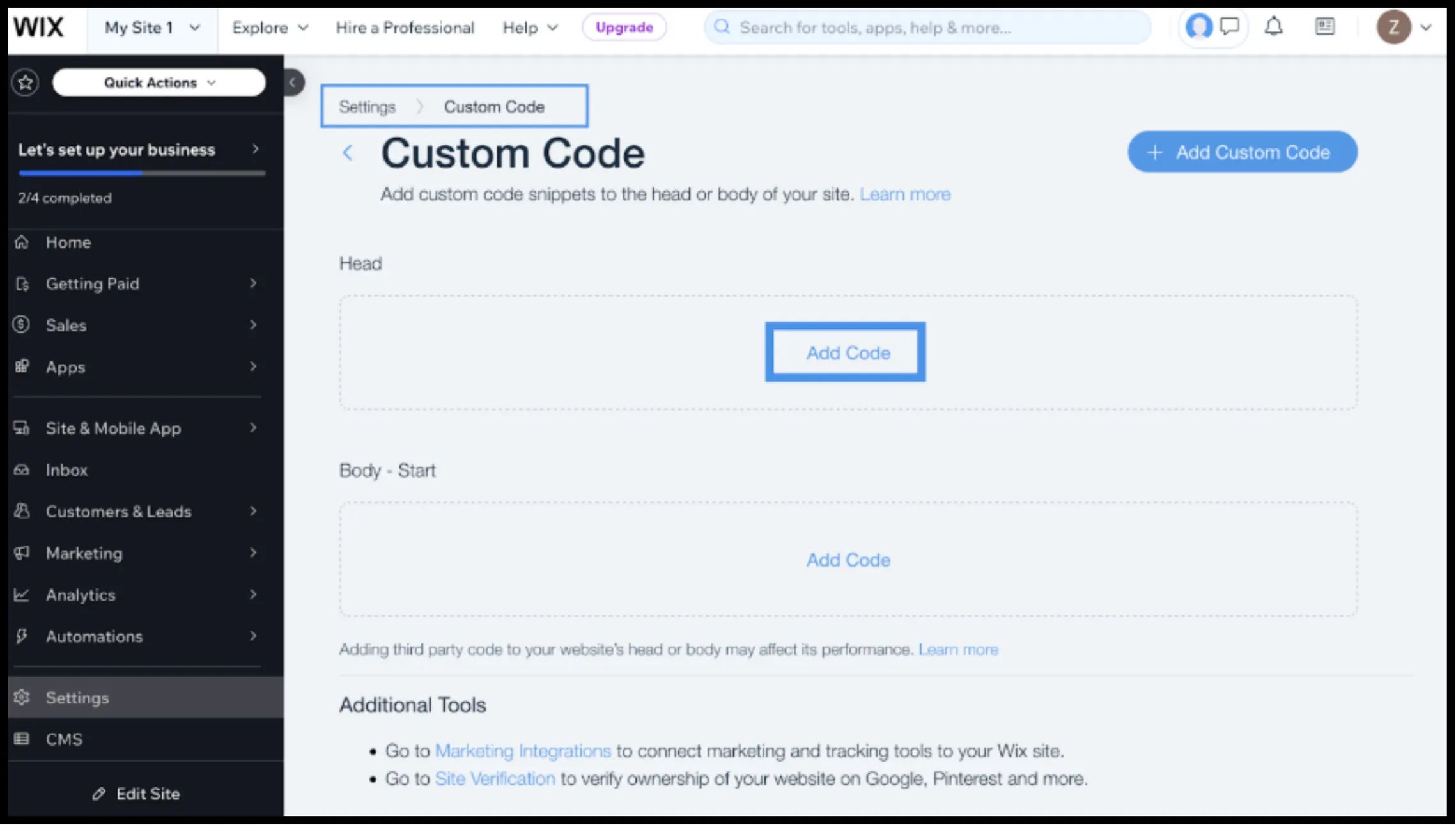
Desplázate hacia abajo hasta la Avanzado sección y selecciona Código Personalizado.
3. Paso 2: Inyecta el Script de Infraestructura
- 1
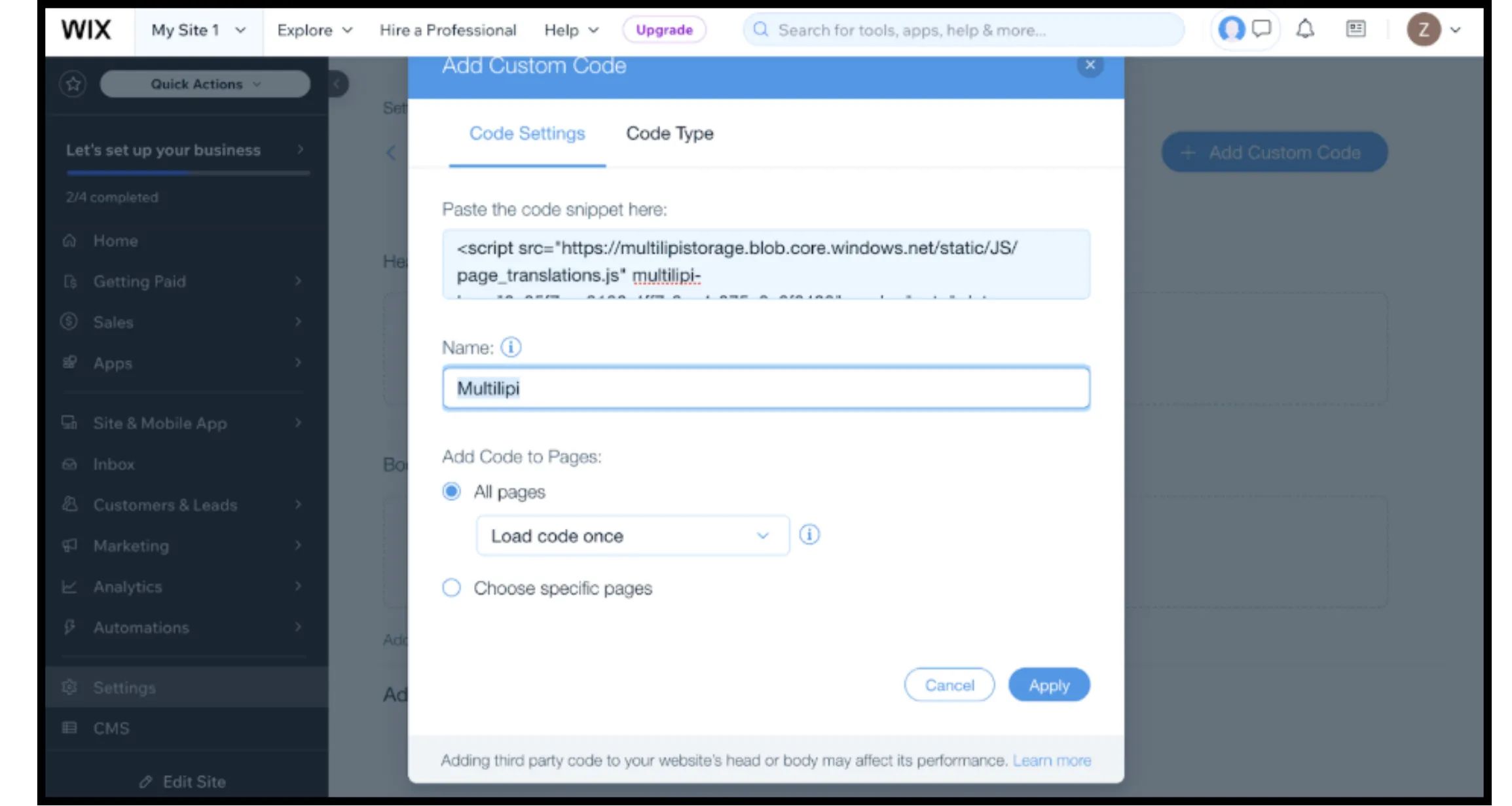
Haz clic en + Añadir Código Personalizado botón en la esquina superior derecha.
- 2
Pegar fragmento de código: Inserta el siguiente script de conexión en el cuadro de texto:
HTML<script src="https://multilipistorage.blob.core.windows.net/static/js/page_translations.js" key="YOUR_API_KEY_HERE" ></script>
⚠️ Configuración Crítica
- •Pegar fragmento: Asegúrate de reemplazar
TU_CLAVE_API_AQUIcon tu clave real. - •Nombre: Etiquétalo como "MultiLipi Infraestructura".
- •Añadir código a las páginas: Selecciona "Todas las páginas" y "Cargar código una vez". Esto es vital para el rendimiento de las Aplicaciones de Página Única (SPA).
- •Colocar código en: Selecciona "Head".
- •Haz clic Aplicar.
4. Paso 3: Despliegue y Verificación
Los sitios de Wix tienen una caché considerable. Sigue este protocolo para verificar la instalación:
Publicar
Debes hacer clic Publicar en el Editor de Wix para que el código personalizado se publique.
Verificar
Abre tu dominio en vivo (preferiblemente en una ventana de incógnito para omitir la caché local).
Verificación Visual
El Conmutador de Idiomas debería aparecer en la esquina inferior izquierda.
Comprobación del comportamiento
Cambia de idioma y navega a una nueva página. La preferencia de idioma debería persistir.
5. Optimización e Integridad del Diseño
Una vez que la integración esté activa, MultiLipi trabaja para preservar tu diseño de Wix:
Compatibilidad con Velo
Nuestro motor funciona junto Wix Velo (JavaScript), asegurando que el contenido dinámico se traduzca sin romper la funcionalidad.
Protección del diseño
Si una traducción al alemán es demasiado larga para un botón específico, usa el Editor Visual para acortar el texto manualmente, evitando cambios de diseño.
Automatización SEO
A diferencia de las traducciones estándar de Wix, MultiLipi maneja automáticamente los hreflang señales necesarias para que Google indexe correctamente tus páginas localizadas.